
Workshops
Wednesday, November 11th | @ verizon education center / cornell tech | IN PERSON
Join your peers for a full day of in-person workshops hosted by design innovators and software pioneers, designed to introduce participants to a wide range of powerful new workflows that enable new ways of working and enhance existing design processes.
Location
All In Person Workshops are hosted at:
Verizon Education Center
Cornell Tech
2 W Loop Rd, New York, NY 10044
Transit Options
Roosevelt Island Tramway to / from Manhattan
Subway via the F Train at the Roosevelt Island Station
NYC Ferry via the Astoria Route at the Roosevelt Island Stop
Agenda
9:30 am
10:00 am - 1:00 pm
1:00 pm - 2:00 pm
2:00 pm - 5:00 pm
Registration
Morning Classes
Lunch Break
Afternoon Classes
FULL day Workshops

+

Thornton Tomasetti | CORE studio + McNeel
A Practical Guide to MCP & Multi-Agent Workflows
Agentic AI and MCPs are all the rage these days, but it can be difficult to separate hype from substance. If you'd like to learn about these emerging technologies but aren't sure where to start, join our full-day workshop for a step-by-step, beginner-friendly, and AEC-focused walkthrough of the latest AI protocols. You will learn what Model Context Protocol is, how it works, and how to build your own MCP servers to help automate various design workflows. We will also take a look at MCP features within the latest release of the Swiftlet Grasshopper plugin, which will let us interact with a Rhino model using an LLM. From there, we will explore AI agents, how to easily build them using open-source frameworks, and how to let multiple agents collaborate with each other via the A2A (Agent to Agent) protocol.

-
Sergey Pigach is a Senior Associate Applications Engineer at CORE studio | Thornton Tomasetti. Sergey's work builds on his architectural training by bridging the domains of technology and design, driving him to develop computational tools for architects, designers, and engineers. Since joining CORE studio he has worked on desktop and web-based projects including Swarm, a cloud compute solution for Grasshopper; ShapeDiver, a desktop client integration following a merger; and—most recently—Cortex, CORE Studio's new MLOps platform.

+

Thornton Tomasetti | CORE studio + Ontologic
Automating Grasshopper Plugin Development with AI
This hands-on workshop uses PleaseREST, an open-source Claude Code plugin, to automate the creation of Grasshopper plugins that connect GH to web apps. Wiring a REST API into Grasshopper usually means weeks of repetitive work setting up an HTTP client, a component per endpoint, icons, tests, and packaging. In this workshop, you'll drive a real API into a complete, buildable, and publishable Grasshopper plugin. You plan, review, and test. PleaseREST does the rest. No Grasshopper or C# coding knowledge required.
Most common web services today, such as Notion, Miro, and Google Suite, expose a REST API, but connecting one to Grasshopper still means reading docs, writing an HTTP client, building a component per endpoint, drawing icons, writing tests, and packaging for Rhino 7-8 on Windows and Mac. This workshop dissects that workflow and rebuilds it as a Claude Code plugin that can automate Grasshopper plugin generation.
-
Required
Visual Studio Code
Visual Studio 2022
Claude Code - Pro/Max subscription because only it has claude code
Python 3.10+ (for writing/running MCP servers)
Rhino 7 or 8
Recommended
Rhino 8 - Latest version, or newer than v8.23 if you want to run generating demo GH files
Cordyceps plugin - if you want to use a Grasshopper MCP for demo files
GitHub account - only needed if you want to keep pushing your work, but you can do without it

-
Eesha Jain is a Senior Computational Designer at Thornton Tomasetti, where she builds tools that automate the repetitive parts of AEC workflows. She has experience creating web tools and Grasshopper & Rhino plugins, and has recently been accelerating that work with AI.


+

Reope + KPF
From User to Maker
Learn how to make tools for Revit that fit your creative process and your projects, covering everything from the fundamentals to advanced toolmaking topics. Attendees will apply what they learn by creating working Revit add-ins during the workshop. Everyone leaves with at least 3 add-ins they can use at work the next day.
Agenda
Morning
The Revit Application Programming Interface: elements, parameters, transactions
Software principles for Revit Add-ins including what makes an add-in safe and shareable
Prompting fundamentals for tool-making: describing intent, constraints, and UI
Build add-ins 1–3:
Add-in 1: dialogue window
Add-in 2: form-based tool
Add-in 3: rich UI tool
Afternoon
Advanced concepts in toolmaking
Build two add-ins with rich-UI applications, more advanced than the morning set
Wrap-up: taking tools from personal to project to firm-wide products
-
Daily Revit use.
No programming background needed.





+

IaaC + Tiffany & Co.
Agent-driven parametric modeling with Rhino.Compute and Unity
This workshop introduces an experimental workflow connecting AI, Unity, and Rhino.Compute. We'll explore how an AI agent could reason over a Grasshopper definition's inputs, run it via Rhino.Compute, and visualize results in a Unity 3D environment.



+
ZAHNER + KPF
Reinforming Intent: Tracing AI Inside the Fabrication Loop
We believe design intent should remain closely connected to fabrication. Too often, AEC workflows create a handoff: design intent becomes instruction, the machine executes, and the result is evaluated only after the work is done. This workshop explores what happens when that handoff becomes a feedback loop.
What becomes possible when a machine can see the result as it emerges, interpret what it sees, and adjust its actions in real time?
For this workshop, we extend the fabrication loop by giving the machine vision, computation, and the ability to respond. Rather than treating design, machine instruction, and physical output as separate steps, we ask how they might continuously inform one another.
-
Join us to experiment with an adaptive fabrication system: a repurposed machine converted from its stock function into a liquid-deposition tool. For the workshop, we use acrylic as a proxy for Zahner's Selective Patina process, allowing us to experiment with feedback, adaptive strategies, and the role of AI within a physical fabrication process.
The specific rig is a means, not the point.
The architecture is intended to be transferable across different machines—from a desktop printer to a CNC system or industrial robot. The machine and end effector may change; the larger question remains the same: how can design intent, sensing, and adaptive execution stay connected throughout fabrication?
We invite participants into that loop between design intent, machine motion, material behavior, and computer-vision-informed AI.
-
Intent — A pattern is generated and vectorized, with Helix, Zahner's in-house AI, participating in how that intent is generated and interpreted.
Instruction — The vectors move through a computational design pipeline and are translated into machine-executable motion. The specific software and hardware used for this workshop are implementation choices; the underlying workflow is intended to remain flexible.
Trace + Response — A camera observes the deposition as it happens. Computer vision and machine learning compare the physical result with the intended outcome, allowing parameters such as speed, feed rate, or path to respond during fabrication.
The machine is no longer simply executing a file. It is working under continuous observation and adjustment—closer to the way a skilled maker watches material behavior and responds while working.
-
Architectural metal finishing relies heavily on craft knowledge: material behavior is observed, interpreted, and adjusted continuously. That knowledge is difficult to encode and even harder to scale.
This workshop is a small proof of a larger idea: perhaps the feedback loop, rather than simply the toolpath, is what we need to capture.
A machine that can observe the physical result and respond to it presents a fundamentally different fabrication model from one that simply executes predetermined instructions.
Helix helps connect the two ends of that loop—design intent going in and information from the physical process coming back. Demonstrating that relationship independently of a particular machine is what makes the experiment transferable to future tools, materials, and collaborations.
-
Experimental generation and interpretation of vector patterns
Translation of those vectors into machine motion through the existing computational pipeline
Camera-based observation and computer-vision feedback
Adaptive control of selected fabrication parameters
Peristaltic pump, brushes, or markers for material delivery
-
This is a working session, not a lecture.
Participants will experiment with the system live, observe fabrication with mid-process correction, and follow the loop from initial intent through machine instruction, material deposition, observation, and response.

-
Vahid Koliyaee is an accomplished R&D engineer at Zahner at Zahner. His practice spans software development, applied AI, robotics, and computational design, all aimed at the gap between the design model and the fabricated object, where intent meets material and most knowledge is lost. He co-leads Helix, an internal AI platform that turns everyday AI-assisted work into a growing, searchable record of the firm's engineering reasoning, distilling working sessions into structured specifications that colleagues can find and reuse rather than rediscover from scratch. He also co-led Zahner's first AI hackathon. On the shop floor, he builds computer vision and robotic metrology systems that check fabricated parts against their design models, catching deviations that conventional measurement cannot. He holds a Bachelor of Architectural Engineering and a Master of Architectural Technology from the University of Tehran, as well as an MS in Architecture and Environmental Design from Kent State University. Vahid is a recipient of the prestigious King Medal for Excellence in Research and has authored several publications on human-robot interaction.

-
Ethan Kerber drives the development of robotic fabrication systems at Zahner, with a current focus on AI-powered computer vision for quality control in sheet metal production. This builds on a foundation in information modeling for traceability, rooted in his PhD research in adaptive wire arc additive manufacturing (RWTH Aachen University). His work centers on prototyping new processes, from robotic bead blast resist techniques to new material explorations in 3D printed patinas. He develops digital workflows and automation systems that carry ideas from prototype to production.
He brings extensive experience in robotic fabrication and education, having instructed master's students in construction robotics and developed online coursework, including an edX course on robotic programming and teaching international workshops using cloud remote control. He has taught a combinatorial tooling workshops at the past AECTech LA event and continues that focus on knowledge sharing through the development of new digital fabrication workflows for AECTech NY. His research has been published across more than a dozen papers, in publications such as the International Journal of Advanced Manufacturing Technology. He is a former co-CEO of Robots in Architecture Research and former Managing Editor of the Journal on Construction Robotics.

-
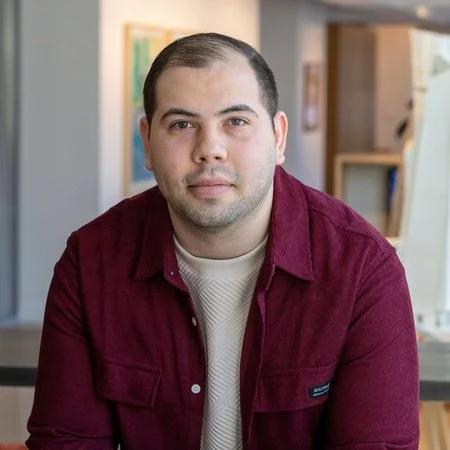
Joe Brennan is an architect, educator, and computational designer whose work explores how digital tools can connect design intent with the realities of fabrication and construction. At Kohn Pedersen Fox, he leads the firm’s Computation and Digital Fabrication team, developing computational workflows, interoperability strategies, and fabrication systems that support projects across scales, from building components to complex urban developments.
His work focuses on building more direct and intelligent connections between designers, models, materials, and makers. Through tools spanning Rhino, Grasshopper, Revit, digital fabrication, and emerging AI workflows, he develops systems that translate design information across disciplines while making specialized knowledge more accessible and reusable throughout the design and delivery process.
Joe is also an adjunct faculty member at Columbia University’s Graduate School of Architecture, Planning and Preservation, where he teaches computational design, BIM, interoperability, and digital fabrication. His teaching and professional practice share a common interest: using computation not simply to automate existing processes, but to help architects work more fluently across disciplines, technologies, and scales.
-
Darwin Diaz leads digital fabrication at Kohn Pedersen Fox, where his work is about closing the distance between a digital design and the physical object it becomes. Operating out of the firm's New York Makerspace, he builds the infrastructure, tools, and expertise that let design teams move confidently from model to material, at any scale, from a single façade component to a full tower or urban master plan.
His team produces the physical scale models that carry KPF's design language into the room, from precision tower massing studies and site plans to full urban developments, executed across a range of materials and finishes to match what a project needs to communicate. That range is part of a larger role: KPF is a global firm with offices spanning Asia, Europe, and the Americas, and Darwin's work helps establish a shared fabrication standard across them, so a model built in New York reads with the same rigor and identity as one built in Shanghai, Singapore , or London. He facilitates that consistency by developing the training, standards, and shared workflows that let any KPF office produce work to the same bar.
This year, Darwin presented on this exact challenge at RAPID+TCT, on how Design for Manufacture and Assembly (DfMA) and digital fabrication workflows let global architecture firms manage mass customization at scale. His broader interest is in what happens when fabrication stops being a bottleneck and becomes a fluent extension of the design process itself, where physical models are as fast, iterative, and accessible as digital ones, and as recognizably KPF wherever in the world they're made.

+

ShapeDiver + NodePen
Multiplayer Grasshopper Workflows
Grasshopper was never built for teams. Definitions are fragile to version, hard to divide across collaborators, and often tied to third-party plugins that can break the moment you move to a new machine. And what if you really just need to work on the same script at the same time?
In this workshop, we explore new ways to collaborate in Grasshopper. We show how ShapeDiver and NodePen allow you to break a single design problem into several definitions and orchestrate them together inside of one modular application: write scripts together in the browser, coordinate them with live or versioned clusters, and then export the final product to ShapeDiver. We also show how the new integration between the two platforms enables the frequent and parallel iteration on NodePen to take advantage of the versioning and instancing capabilities in ShapeDiver's App Builder..
After a dual introduction to those features in NodePen and ShapeDiver, we propose and test a collaborative workflow through a mini-hackathon. We first identify a complex problem and break it down in modular parts; participants will then work in parallel, either in Grasshopper or directly in NodePen, before putting all parts together in a single online application, modular and cleanly versioned.
No prior experience with NodePen or ShapeDiver required. Just bring your Grasshopper skills and painful memories of projects involving Grasshopper collaboration.



+
Raven + Bollinger + Grohmann
Raven x Bollinger+Grohmann: Generative Geometry with Structural Analysis
In this hands-on workshop, Raven and Bollinger+Grohmann will explore how AI-driven geometry generation can connect with real-world structural design processes. Participants will use Raven to generate and iteratively develop structural geometries, then carry these into a workflow informed by Bollinger+Grohmann’s engineering practice.
Rather than focusing on isolated tool demonstrations, the workshop will work through a concrete design example and examine the exchange between geometry generation, structural logic, and design iteration.
The session is aimed at architects, engineers, computational designers, and anyone interested in how emerging generative tools can connect to established AEC workflows. No prior Raven experience is required.


morning Workshops

+

Heatherwick Studio + Krea
Agentic workflows for human centred design
The workshop will explore design processes through human interaction and agentic workflows using Krea.ai and examples from Heatherwick Studio’s optioneering process.
We will cover workflows based on live sketching, AI media generation (images, video, and 3D), and bridging between Krea and platforms like Rhino, Slack, and others.
No software or coding skills needed.

+

Karamba3d + Tunny
Structural Optimization with Karamba3D and Tunny: Applying Code-Based Design
This workshop looks at structural optimization and code-based design across various materials and national standards. Working through live examples, we'll design and validate a structure to different codes such as Eurocode and AISC, and then couple that model to state-of-the-art multi-objective optimization in Tunny.
The first half covers the fundamentals of structural design in Karamba3D: building the model, cross-section design, and code-based checks. The second half covers the fundamentals of optimization in Tunny, which goes well beyond genetic algorithms — Bayesian methods (TPE, GP) alongside evolutionary ones (NSGA-II, CMA-ES) — with multi-objective search, constraints, and live analysis in the interactive dashboard.
We'll finish with two things that go beyond finding a single optimum: Tunny's human-in-the-loop functionality, which uses Preferential Bayesian Optimization to bring subjective design judgment into the loop, and design space exploration that builds predictive models of how parameters relate.
Prior knowledge of Karamba3D or Tunny is not required, but is highly recommended
-
A laptop with the following software installed:
Rhino 8
Karamba3D v3 Beta (Installation and License files will be provided)
Tunny (Installation and License files will be provided)

-
Clemens Preisinger, D.I. Dr. is a structural engineer and researcher. He started his career as a researcher at the Institute for Structural Concrete at the Technical University Vienna. Since 2008 Clemens is working for the structural engineering company Bollinger+Grohmann. During that time, he contributed to several research projects at the University of Applied Arts Vienna. There he currently heads the department 'Digital Simulation' which investigates possibilities to bring computational modelling techniques into early-stage architectural design. Since 2010 Clemens is developing the parametric, interactive Finite Element program ‘Karamba3D’. He holds a PhD in Structural Engineering from the Technical University Vienna.

-
Hiroaki Natsume is a structural and computational designer based in Tokyo, Japan. After working as a structural engineer at a multidisciplinary architectural design firm in Japan, he became independent and now works across structural design, computational design, and optimization. His current practice focuses on applying computational methods and optimization to structural design across different fields, including architecture and mechanical design. He develops computational workflows mainly in Rhino and Grasshopper and is the developer of Tunny, a black-box optimization tool for Grasshopper.

Proving Ground
Back to Basics: Computational Design Fundamentals with Grasshopper and LunchBox
Computational design with Grasshopper has evolved from a niche skillset into a foundational capability for many architecture and engineering practices. This workshop will explore fundamental skills and concepts that are essential for learning computational thinking with Rhino and Grasshopper. Step-by-step introductions to geometric development, parametric iteration, analysis, and data workflow will be covered in this short half-day introduction. Rhino, Grasshopper, and the LunchBox plugin will be used throughout the workshop.
Who is this workshop for?
Architecture and engineering design professionals who are beginning their computational design journey. While the workshop assumes no initial knowledge of Grasshopper, the course will also help participants who want to “brush up” on some fundamentals.
-
Rhino 8 or Rhino 9 (beta) with Grasshopper 1.0
LunchBox plugin (available in the Rhino package manager
Microsoft Excel
afternoon Workshops
Proving Ground
The Next Generation: Exploring New Workflows with Grasshopper 2
Grasshopper 2 is a radical evolution of the popular Grasshopper workflow. While it shares many of the same computational design conventions as Grasshopper 1, G2 represents a complete ground-up rebuild. G2 features new capabilities for efficient computing, data integration, visualization, collaboration, recursive looping, definition management, and user experience. This workshop will explore the new workflows that are available with Grasshopper 2 with step-by-step examples.
Who is this workshop for?
Architecture and engineering design professional who are interested in learning how they can utilize Grasshopper 2 in their computational design workflow. A general context and knowledge of Grasshopper 1 will be beneficial in understanding how the platform has evolved. However, if you are just beginning your computational design journey, why not start with the latest tools?
-
Rhino 9 (beta) with Grasshopper 2
LunchBox G2 plugin (new version to be provided during the workshop)
Microsoft Excel

Perkins & Will
Collaborative Vibe Coding for AEC
This is a fun, collaborative vibe-coding workshop focused on how teams can rapidly develop toward a shared goal. Rather than treating “one-shotting” an app as a solitary exercise, the workshop will show how designers, technologists, and subject-matter experts can work together to frame a problem, define scope, contribute domain knowledge, test assumptions, and refine a working prototype. Participants will leave with a practical framework they can bring back to their firms to make vibe coding more collaborative, engaging, and useful.
No coding background necessary, just a laptop with a browser and curiosity. You'll learn to use AI to write code, use GitHub to collaborate with your team (branches, pull requests, merge conflicts and all), and build small AEC-flavored apps — a 3D viewer, a markup tool, and/or a data dashboard. You'll walk out ready for the next day's hackathon, and with the resources and knowledge needed to run this exact workshop back at your own firm.
WHO IS THIS WORKSHOP FOR
Architects, engineers, PMs, and anyone in AEC who's curious about AI coding but has never opened a terminal. No prior coding experience required. If you can use a browser and you're willing to try, you're the target audience.
-
You can prompt an AI into building real software — not just chat with it, but iterate with it until something actually works.
Git and GitHub stop being scary — you'll branch, commit, and open a pull request, and you'll have already survived a real merge conflict before the hackathon. You will be ready to vibe code alongside other vibe-coders in the same vibe coded repo.
You'll leave with a deployed, working app — built and merged with a team, not just a local file on your laptop.
You'll walk into tomorrow's hackathon with zero setup friction — same tools, same workflow, muscle memory already built.
You'll leave with the playbook to run this workshop yourself — slides, starter repo, facilitation script — all ready for you to run this same process to share back with your firm.
-
PREREQUISITES
A laptop with a modern browser (Chrome, Edge, or Firefox) that's it.
No installs required; we'll use GitHub Codespaces in-browser.A free GitHub account, created before the day
(takes 2 minutes, saves 10 in the room).A Claude account — free tier is fine.
If your firm restricts personal AI tool accounts, check with IT beforehand so this isn't a surprise on the day.



Foster + Partners
Cyclops: GPU-based Optimisation Strategies
Design teams are often faced with thousands of possible iterations, yet only limited time to evaluate them. This hands-on workshop explores how Cyclops can be used to automate design exploration and identify high-performing solutions through evolutionary optimisation.
Participants will build optimisation workflows at façade and building scales through examples inspired by real-world design scenarios. The workshop will demonstrate how optimisation can support early-stage decision-making, reveal non-intuitive design opportunities, and balance competing environmental criteria.
Thank you to our Partners!






Thank you to our sponsors!



Continue to stay informed by following us on Twitter, Instagram, and checking our website.
Please take a minute to review our values and promise to the community.